
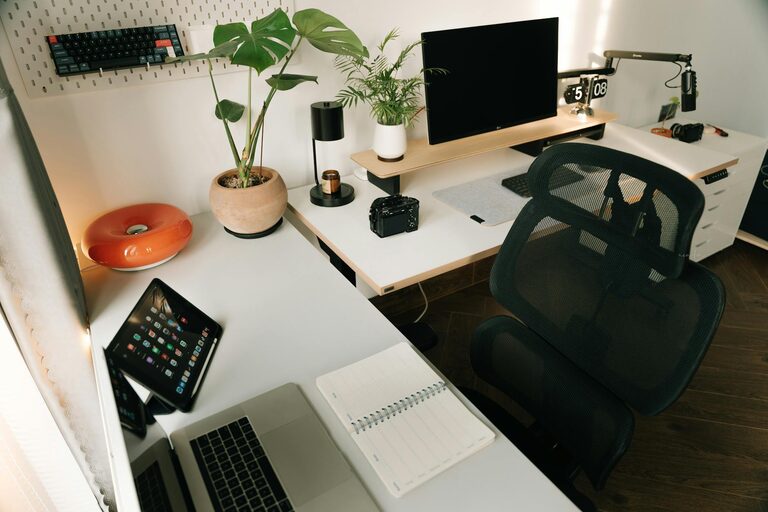
Creating a peaceful and productive home workspace is more important than ever, especially as many people adjust to working remotely. A well-designed workspace can help you stay focused, reduce stress, and make your workday feel more enjoyable. Whether you have a dedicated room or a small corner in your living space, these tips will guide you through setting up an environment where you can do your best work.
Choose the Right Location
Selecting the perfect spot for your workspace sets the foundation for productivity. Consider these factors when choosing your workspace location:
– Natural Light: Aim for a space near a window to benefit from natural daylight. It helps improve mood and alertness.
– Quiet Area: Pick a spot away from high-traffic or noisy areas to minimize distractions.
– Space Availability: Even a small corner can work, but make sure you have enough room for your essential equipment and comfortable seating.
Keep Your Workspace Organized
Clutter can quickly become a source of stress and distraction. Keeping your workspace tidy improves focus and efficiency:
– Use Storage Solutions: Invest in shelves, drawers, or organizers to keep papers and tools neatly stored.
– Limit Desk Items: Only keep essentials on your desk, like your computer, a notebook, and a pen holder.
– Daily Cleanup: At the end of each day, spend a few minutes tidying up your workspace to start fresh the next morning.
Optimize Your Furniture and Equipment
Ergonomics play a big role in comfort and productivity. Here’s how you can improve your setup:
– Comfortable Chair: Choose a chair with good lumbar support to prevent back pain.
– Desk Height: Your desk should allow your elbows to rest at a 90-degree angle when typing.
– Screen Position: Place your monitor at eye level to reduce neck strain.
– Good Lighting: Supplement natural light with a desk lamp that provides adequate illumination without glare.
Personalize Your Environment Calmly
Adding personal touches can make your workspace more inviting, but keep it balanced to avoid a cluttered feel.
– Plants: Small indoor plants can boost mood and air quality.
– Artwork: Choose calming or inspiring images that motivate without overwhelming.
– Colors: Use soft, neutral colors or your favorite calming tones on walls or accessories.
Set Boundaries and Routines
Work-life boundaries are essential in a home workspace.
– Defined Work Hours: Stick to set start and end times to maintain a healthy work-life balance.
– Take Breaks: Schedule regular breaks to stretch, hydrate, or step outside briefly.
– Inform Household Members: Let family or roommates know your work schedule to minimize interruptions.
Minimize Distractions and Noise
Reducing interruptions helps maintain your focus:
– Turn Off Notifications: Silence phone or non-work-related app alerts during work hours.
– Use Headphones: If noise is unavoidable, noise-cancelling headphones or calming background music can help.
– Organize Digital Space: Keep your computer desktop organized and use browser extensions to block distracting sites if needed.
Incorporate Wellness Elements
Taking care of your physical and mental well-being supports productivity:
– Stretching: Incorporate gentle stretches or short exercises during breaks.
– Hydration: Keep a water bottle nearby to stay hydrated.
– Air Quality: Improve ventilation or use an air purifier for a fresh environment.
Keep Technology Efficient and Up-to-Date
Reliable technology helps maintain workflow without frustration:
– Strong Internet Connection: Ensure your Wi-Fi is stable and fast enough for your tasks.
– Regular Updates: Keep software and antivirus programs up to date.
– Backup Plan: Use cloud storage or an external drive to save important work regularly.
—
Designing a peaceful and productive home workspace is about finding what works best for you and making intentional choices. By arranging your environment thoughtfully, maintaining organized habits, and caring for your well-being, you’ll create a space that supports success and makes your work experience more enjoyable. Start small, experiment with your setup, and adjust as needed—you’ll be surprised at how these changes can improve your day-to-day productivity.
About the Author